A JWT is signed, not secret
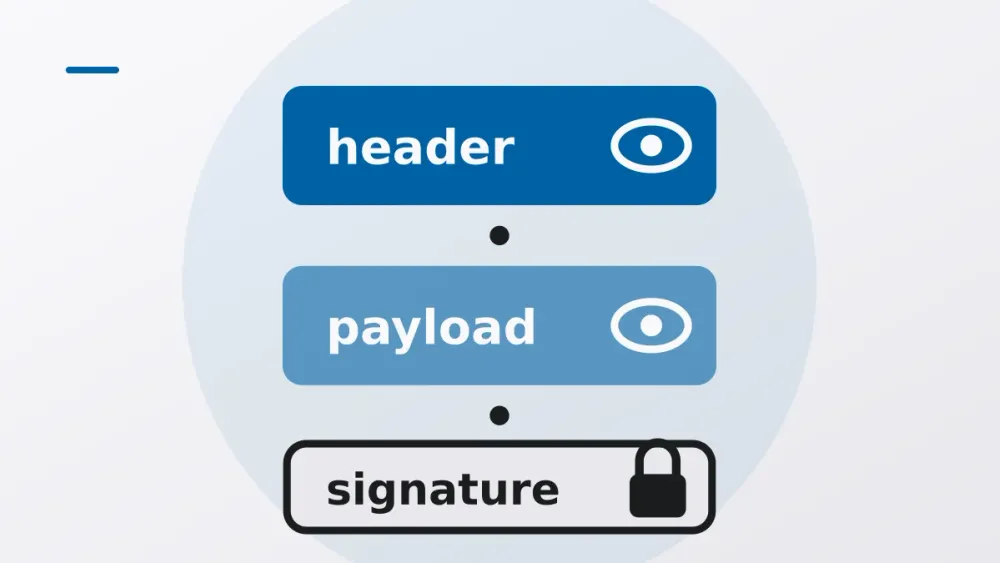
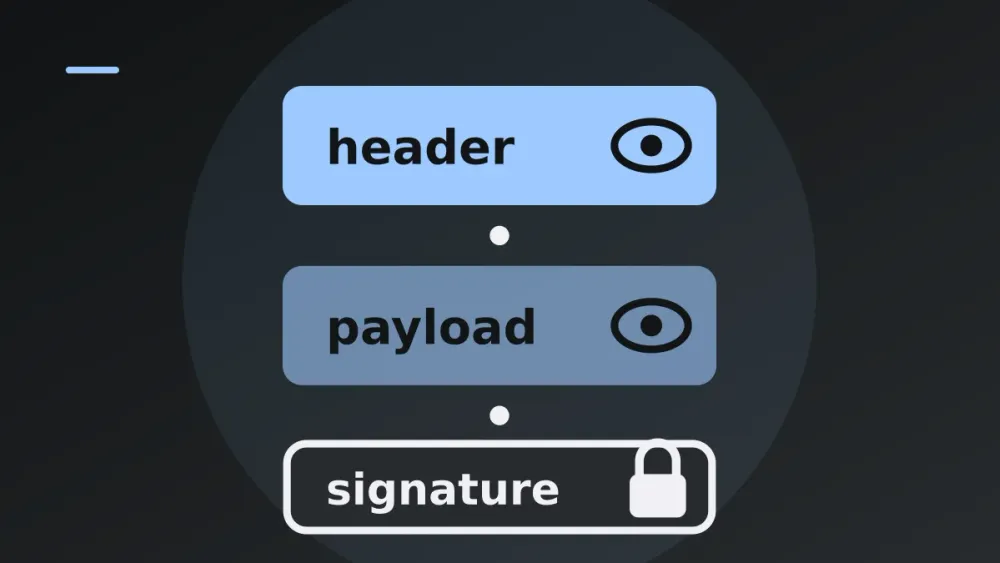
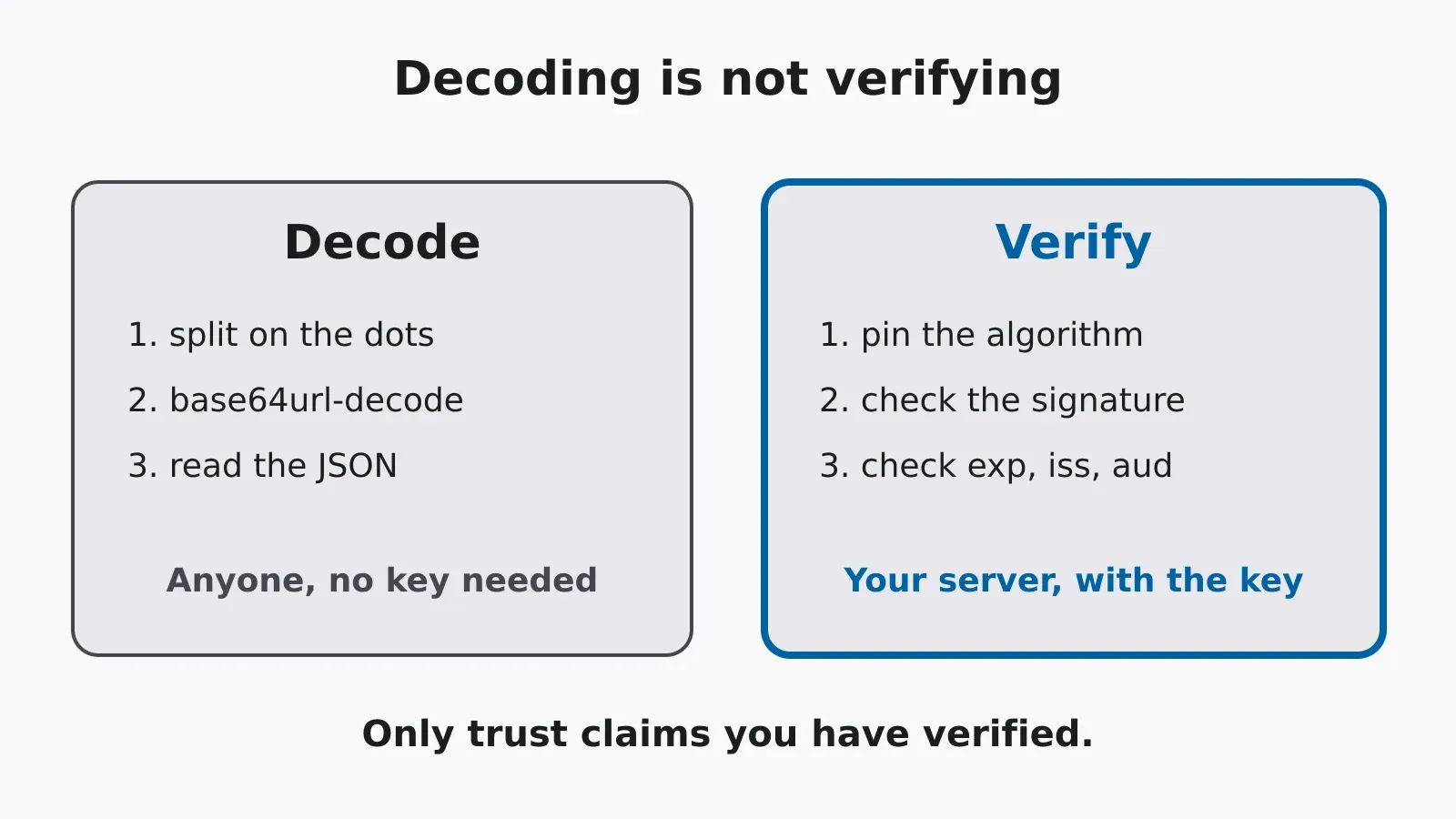
Grab a JWT from your app, split it on the dots and paste the middle part into a base64 decoder. You’ll get JSON back: user id, email, roles, whatever the backend decided to put in there. No key needed. It takes about four seconds and works on every ordinary signed JWT.
Most of you know that already. What fewer people know is what the signature actually covers, and how verification code that looks fine can still accept a forged token. That second part is where the real incidents come from, so it gets most of this article.
The same few bugs, over and over
JWTs are in login sessions, API access, every “sign in with” flow. And people have been mixing up signed and secret for as long as JWTs have existed. RFC 8725 [2], the best-practices document, was written because the same handful of mistakes kept turning up in real libraries. Tim McLean’s post on the Auth0 blog [5] is still the classic account of two of them: libraries that accepted alg: none as a valid signature, and libraries you could trick into checking an RSA token as if it were HMAC.
When it goes wrong, it goes wrong in one of two ways, and they’re not equally bad.
A secret in the payload leaks. Tokens end up in browser history, proxy logs, error trackers, support tickets, screenshots. Whatever’s in the payload goes along.
Or a forged token gets accepted. If verification is skipped or loosened, someone writes their own token and your service believes it. That isn’t a leak anymore. That’s someone walking in with a badge they printed themselves, carrying whatever role they typed on it.
What the signature covers
The usual JWT is a JWS in compact serialization (RFC 7515 [3]): three base64url strings joined by dots.
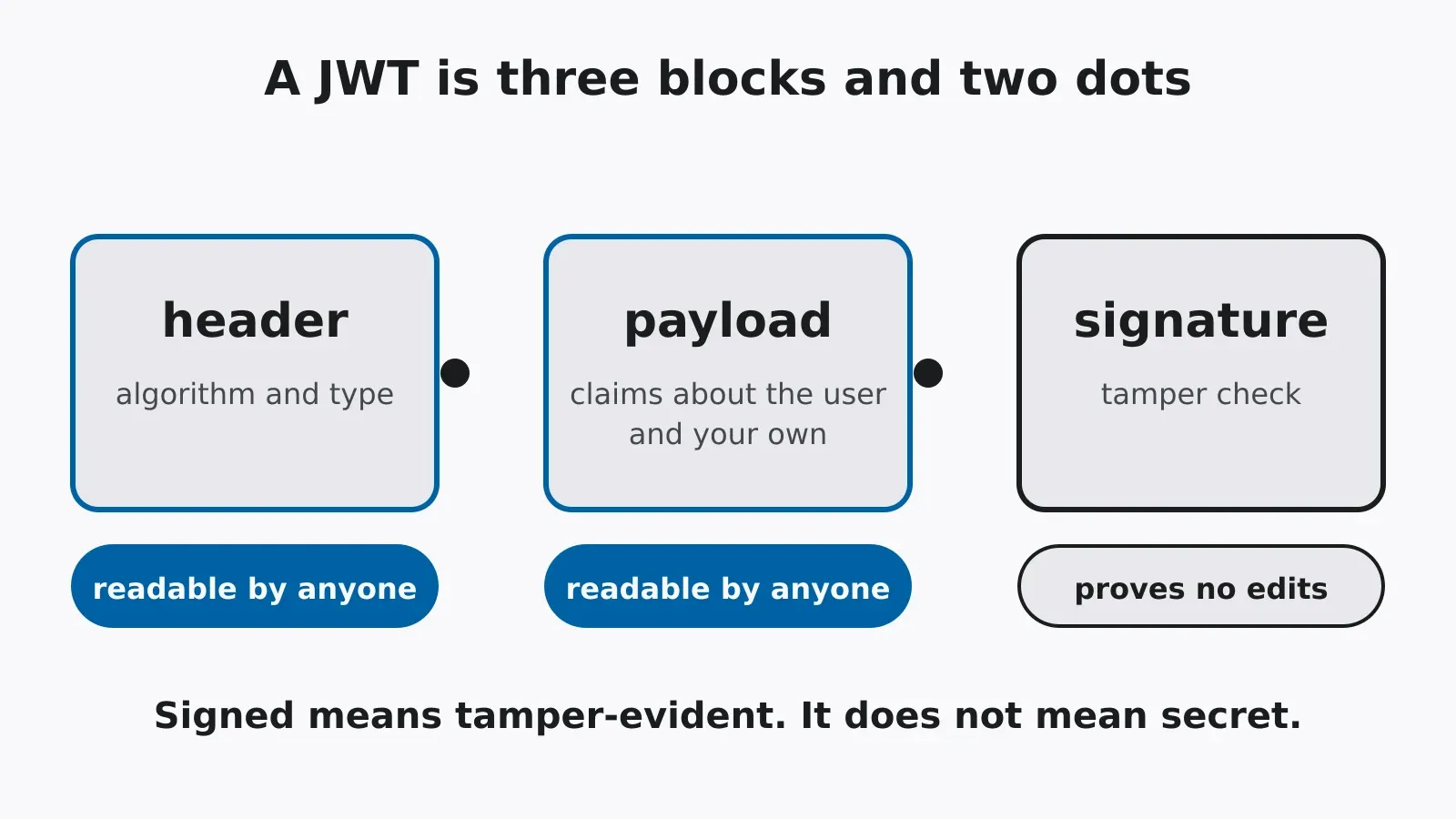
The signature is computed over the ASCII bytes of the first two parts exactly as they were sent, dot included:
signing_input = base64url(header) + "." + base64url(payload)
signature     = HMAC-SHA256(key, signing_input)        // for HS256
So the verifier has to check the signature against the original bytes. Parse the JSON, serialise it again and check that, and you’ll get different whitespace and key order and the check fails.
The header is signed too, but the verifier has to read it before it can verify anything. Keep that in mind; it’s where the alg mess below starts.
And nothing in the format is encrypted. Base64url is reversible and has no key, which is why our JWT decoder can show you a token’s contents without asking for one. Try it on a token from your own app. If something in the payload surprises you, that’s your first bug.
How verifiers get fooled
| The mistake | How the attack works | The fix |
|---|---|---|
Trusting the header’s alg |
The attacker sets alg to none, and a verifier that obeys it skips the signature check entirely |
Pin the accepted algorithms in your own code, never from the token [6] |
| Algorithm confusion | The server expects RS256 and holds an RSA public key. The attacker sets alg to HS256 and signs with the public key’s bytes as an HMAC secret. A verifier that picks the algorithm from the header runs HMAC with that same key and the signature checks out |
One key, one algorithm: bind each key to the algorithm it is for |
Trusting kid, jku, jwk or x5u |
These headers tell the verifier which key to use, or even supply one. If kid goes into a file path or a SQL query it is an injection point, and if the verifier fetches a key from a URL the token names, the attacker brings their own |
Treat them as untrusted input: look keys up in a fixed allow-list |
| Decoding without verifying | Code reads sub or role from a token it never verified, so the sender’s word is taken as fact |
Verify first, read claims second |
| Ignoring the claims | A validly signed token that has expired, or was issued for a different service, is accepted | Check exp, nbf, iss and aud [1] |
| A weak HMAC secret | The attacker guesses it offline from one captured token and mints their own | At least 256 random bits for HS256, as RFC 7518 [4] requires |
| Long lifetimes | A stolen token stays valid, because you cannot recall a JWT before it expires | Short-lived access tokens, rotating refresh tokens, a deny-list if you must revoke |
The first two rows are really one bug. In both, the token gets to decide how the token is checked. The server should decide that; the token only brings data.
Doing it by hand, once
You shouldn’t write your own verifier for production. But writing one with nothing but Node’s standard library shows every decision a library makes for you:
import { createHmac, timingSafeEqual } from 'node:crypto'

const b64 = (part) => Buffer.from(part, 'base64url')

export function verifyHs256(token, secret, { issuer, audience }) {
  const [h, p, s] = token.split('.')
  if (!h || !p || !s) throw new Error('malformed')

  const header = JSON.parse(b64(h).toString())
  if (header.alg !== 'HS256') throw new Error('unexpected alg') // pinned, not read

  const expected = createHmac('sha256', secret).update(`${h}.${p}`).digest()
  const given = b64(s)
  if (given.length !== expected.length || !timingSafeEqual(given, expected)) {
    throw new Error('bad signature')
  }

  const claims = JSON.parse(b64(p).toString())
  if (typeof claims.exp !== 'number' || claims.exp * 1000 < Date.now()) throw new Error('expired')
  if (claims.iss !== issuer) throw new Error('wrong issuer')
  if (claims.aud !== audience) throw new Error('wrong audience')
  return claims
}
It never lets the header pick the algorithm. It only checks that the header agrees with the one already chosen. Signatures are compared with timingSafeEqual, so the response time doesn’t give away how many leading bytes matched. Claims are checked after the signature, never before.
In real code, use a maintained library, and still pass the algorithm list explicitly. That one option is the difference between the left and right columns of the table above.
What a valid signature tells you
That the header and payload haven’t changed since they were signed. And that whoever signed them had the key, which with an asymmetric key tells you which issuer it was.
That’s all. It says nothing about who has read the token. A signed token can be copied and logged along the way, and read by browser extensions, proxies, log files, or the colleague you sent a screenshot to. Don’t put anything in a payload you wouldn’t write on a postcard. If it really has to be confidential, you want an encrypted token (a JWE), not just a signed one.
Debugging without leaking
A token you’re debugging is often a live credential. Only paste it into something that processes it locally. The decoder on this site runs in your browser and doesn’t send the token to our servers, and sensitive tools like it show no ads or tracking. Still, treat a production token as a secret until it expires.
If the payload holds more than the service needs, trim it. If it holds something that should never have been there, rotate your keys and treat the old tokens as exposed.
And the next time someone tells you a JWT is “encrypted”, decode it in front of them. Four seconds.
Try it yourself
JWT decoder and verifier
Decode a JSON Web Token, check its expiry and claims, and verify its signature with a secret or public key.
Open the tool