What cron can and cannot do (and how to test it)
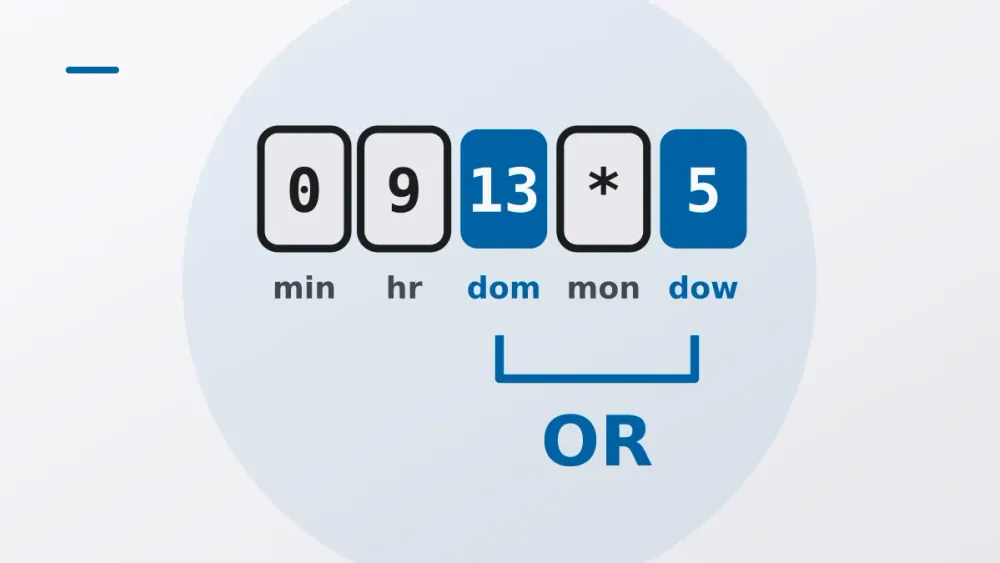
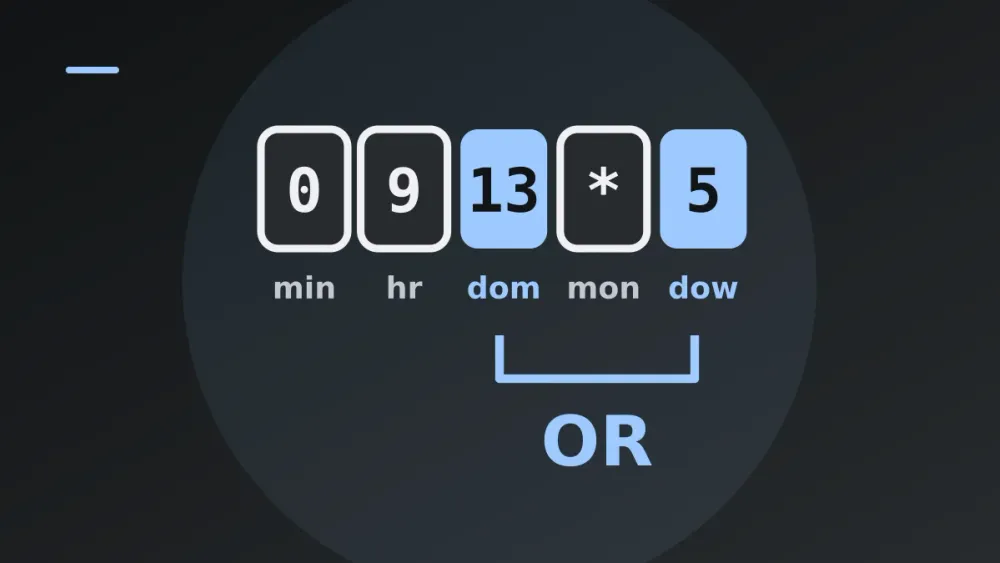
You want a job to run on Friday the 13th. You write 0 9 13 * 5. It runs every Friday, and on every 13th as well.
Cron isn’t broken. It’s doing exactly what its specification says, in a part of the specification almost nobody reads.
Five fields and a few stars: cron looks like the simplest scheduler there is. It also causes a steady trickle of incidents, because those five fields hide a handful of rules that don’t match intuition. These are the ones that bite: the OR rule, the missing seconds, time zones and DST, missed runs, and how to test a schedule before production tests it for you.
Five fields and a star
A standard crontab line is five time fields and a command:
minute  hour  day-of-month  month  day-of-week  command
0-59    0-23  1-31          1-12   0-7
Each field takes a number, a list (1,15), a range (9-17) or a step (*/5, 0-30/10). In Vixie cron and its descendants, Sunday is 0 or 7 in day-of-week. Names like mon and jan work in most implementations, but not in strict POSIX [2].
*/N doesn’t mean “every N minutes since the job was created”. It means every value in the field’s range that’s divisible by N, counting from the lower bound. */7 in the minute field fires at 0, 7, 14, 21, 28, 35, 42, 49 and 56, and then at minute 0 of the next hour. That last gap is four minutes, not seven. Any step that doesn’t divide the range evenly leaves a short interval at the wrap-around.
The fields are also matched against the clock independently, with no idea of “since the last run”. Cron wakes once a minute, looks at the time and runs whatever matches. That’s the whole engine.
Day-of-month OR day-of-week
The sentence in the Vixie cron man page [1] that causes the trouble, paraphrased: if day-of-month and day-of-week are both restricted (neither starts with a star), the command runs when either one matches.
# Intent: Friday the 13th at 09:00
0 9 13 * 5  /usr/local/bin/spooky.sh
That’s every 13th and every Friday. Four or five Fridays plus one 13th a month, so five or six runs where the author expected one every few months.
| Day-of-month | Day-of-week | Classic cron meaning |
|---|---|---|
* |
* |
every day |
13 |
* |
the 13th only |
* |
5 |
Fridays only |
13 |
5 |
the 13th or any Friday |
It gets subtler. Whether the OR applies depends on whether the field starts with *, not on whether it’s actually unrestricted. In Vixie cron */2 in day-of-month counts as starting with a star, so 0 9 */2 * 1 behaves like an AND (every second day, but only Mondays), while 0 9 1-31 * 1 is an OR. Same set of days, different behaviour. It’s a leftover of how the original implementation kept a “star” flag per field.
Not every scheduler does this, either. Quartz and many cloud schedulers want a ? in one of the two fields, and some libraries implement AND. Kubernetes CronJob [4] uses the classic OR. When you move a schedule between systems, check the days it actually produces; don’t assume the same string means the same thing.
When you really want Friday the 13th, let cron fire on the bigger set and filter in the command:
# Fire every Friday, run only if the date is the 13th
0 9 * * 5  [ "$(date +\%d)" = "13" ] && /usr/local/bin/spooky.sh
Note the \%. In a crontab line an unescaped percent sign becomes a newline, and everything after the first one is fed to the command as standard input. Another classic, also in the man page.
No seconds
Standard cron works in minutes. * * * * *, once a minute, is as fine as it gets.
Some dialects add a sixth field. Quartz, Spring’s @Scheduled and several Go and Node libraries put seconds first, so a five-field string pasted into a six-field parser shifts every field one place to the left. Read with seconds first, 0 9 * * 1 becomes second 0, minute 9, every hour, every day-of-month, every month, day-of-week 1: a job that runs at nine past every hour on Mondays. No error. Just the wrong schedule.
If something has to run every 10 seconds, cron is the wrong tool. The usual sleep-in-a-loop hack drifts, overlaps when a run takes longer than expected, and falls over in odd ways under load. Use a long-running process with a timer, a systemd timer with OnUnitActiveSec, or a job queue with delayed messages.
Cron starts jobs; it doesn’t supervise them. If a job outlasts its interval, the next copy simply starts alongside it. If overlap would hurt, wrap it in flock, or in Kubernetes set concurrencyPolicy: Forbid.
Time zones, and the hour that doesn’t exist
Cron matches against wall-clock time in whatever zone the daemon uses: usually the system’s local zone, sometimes UTC in containers. 30 2 * * * means “when the local clock says 02:30”. Daylight saving, whose rules per zone are published in the IANA Time Zone Database [3], breaks the assumption that every local time happens exactly once a day.
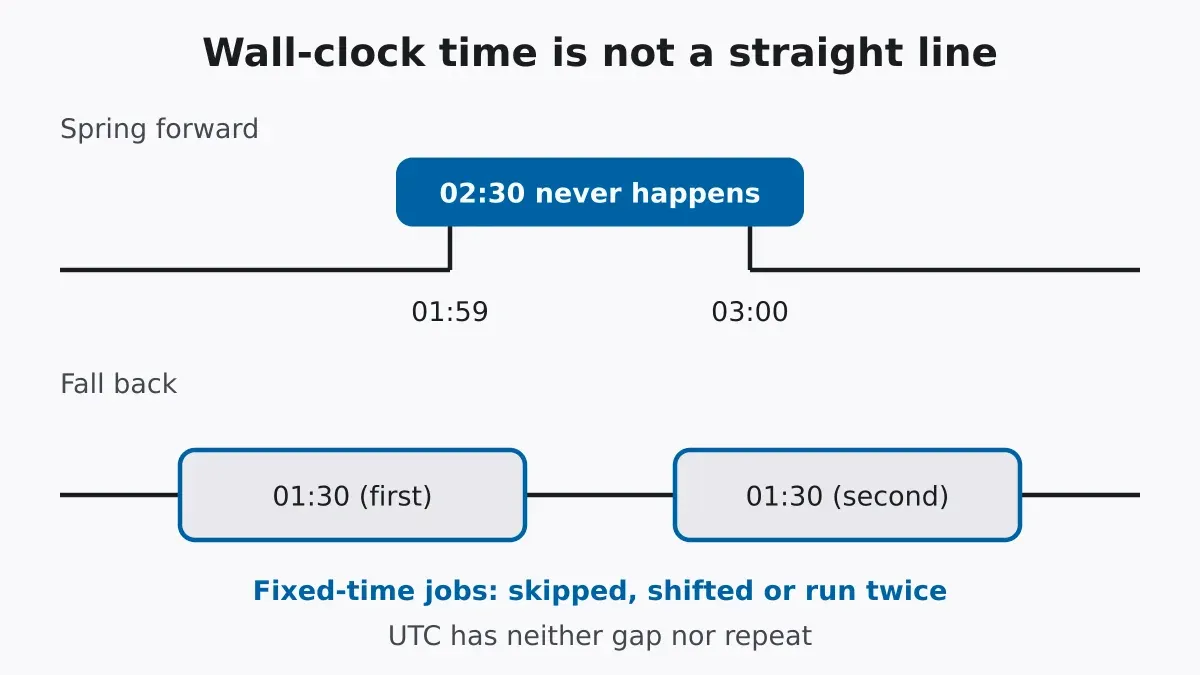
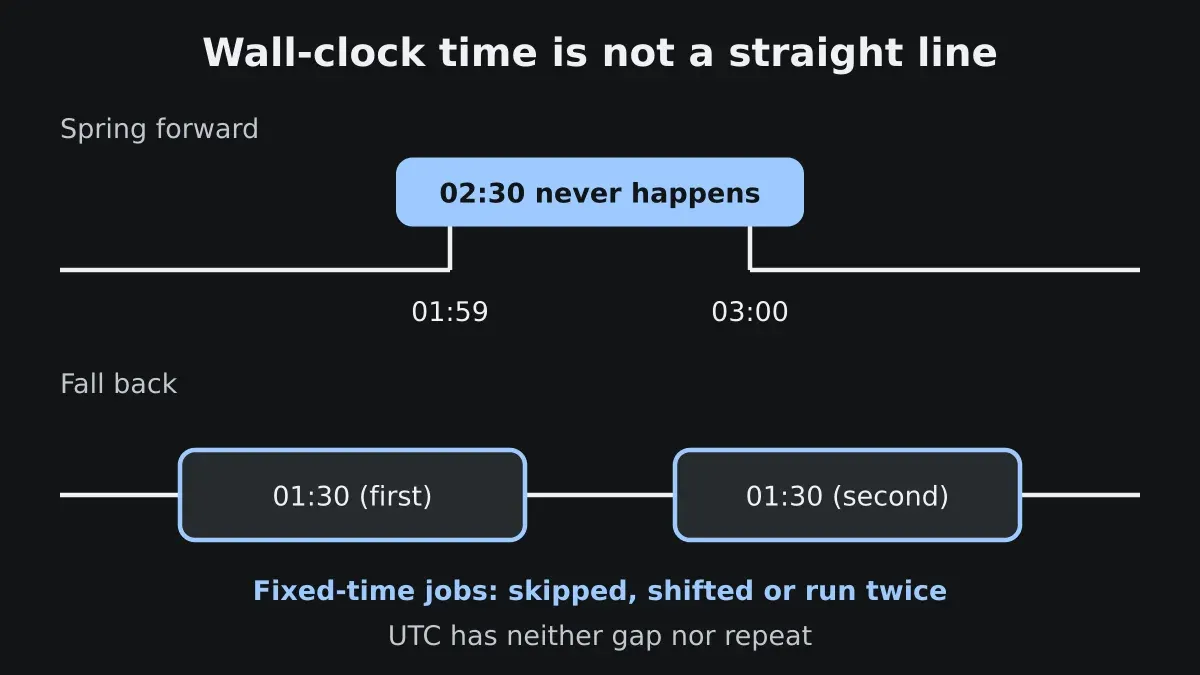
Take a zone that springs forward at 02:00, with the clock jumping from 01:59 to 03:00. That day there is no 02:30. What a 02:30 job does then is up to the implementation:
| Situation | What can happen |
|---|---|
| Spring forward, job inside the gap | skipped entirely, or run once right after the jump, or run at the shifted time |
| Autumn fall back, job inside the repeated hour | runs once, or runs twice |
Job at a fixed interval (*/15) |
usually unaffected, wall-clock matching continues |
The Vixie man page describes some special handling. Jobs with a wildcard in the hour or minute keep their normal wall-clock cadence across a change. A fixed-time job that falls in a skipped hour gets run soon after the change, and one in a repeated hour isn’t run twice. Other implementations (busybox crond, cron libraries, cloud schedulers) behave differently, and it’s rarely documented anywhere you’d think to look.
My advice: run infrastructure jobs in UTC, which has no gaps and no repeats. Set CRON_TZ=UTC where your cron supports it, or run the daemon in a UTC container. If a job really is tied to a local time people care about (an 08:00 report for Berlin), keep the local zone but stay out of 01:00 to 04:00, where most zones do their switching. And make the job idempotent, so it survives running twice or being skipped once a year.
Kubernetes CronJob uses the kube-controller-manager’s time zone unless you set spec.timeZone. That field is fairly new, so check that your cluster version supports it before you count on it.
Time zones also change by law. The IANA database gets updated several times a year, and a long-lived host with stale tzdata computes local time with last year’s rules.
Missed runs stay missed
Cron doesn’t catch up. If the machine was off, the daemon was down, or a deploy restarted the scheduler at 02:00:30, the 02:00 job just doesn’t happen. There’s no queue of missed ticks and no log line saying one was skipped. Anacron exists for exactly this on laptops and desktops, but it works in days or longer and isn’t a drop-in replacement.
Things built on cron add their own rules. Kubernetes CronJob has startingDeadlineSeconds: if the controller misses a start and the deadline has passed, that run counts as missed and is skipped. Without the field, it counts missed schedules since the last run, and past 100 it stops scheduling the job and logs an error until somebody steps in. So a cluster outage over a weekend can turn a per-minute job into a dead one.
The defence is the same everywhere. Have the job work out what to do from state (“process everything since the last successful watermark”), not from the time it was triggered. Send a heartbeat on success to a dead man’s switch or a metric, and alert when it doesn’t arrive; cron fails silently, so alert on silence. And log start, end and duration, so overlapping and runaway jobs show up.
Test it before production does
A cron string is a tiny program, and nobody code-reviews tiny programs.
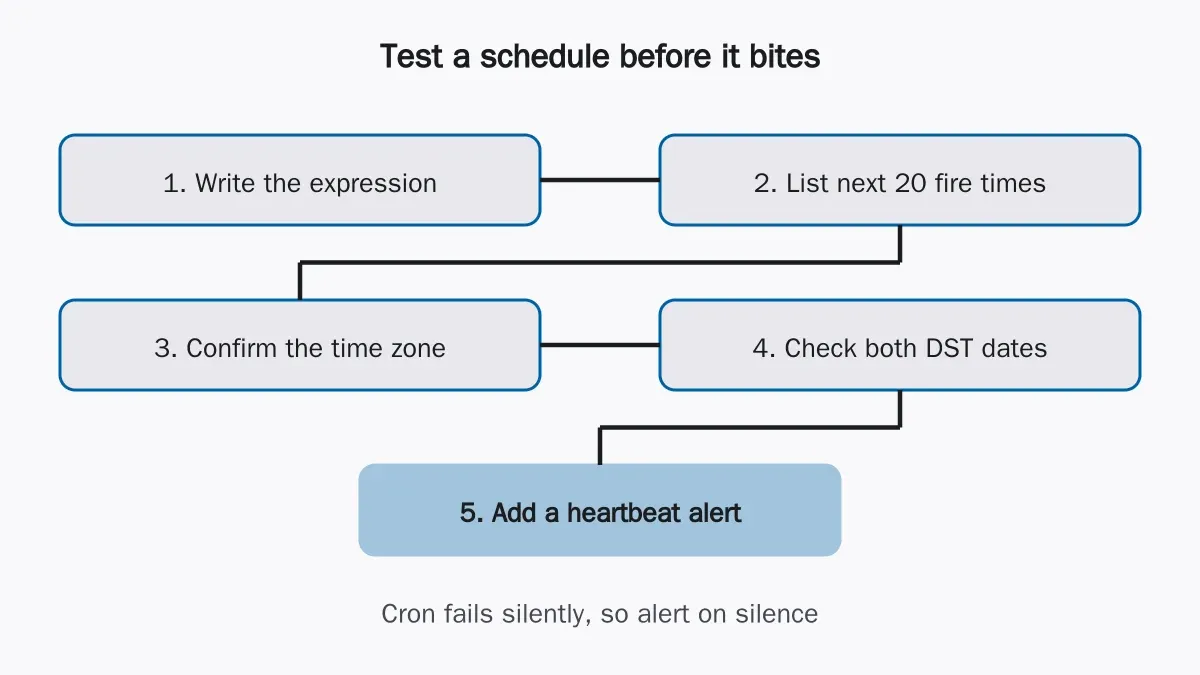
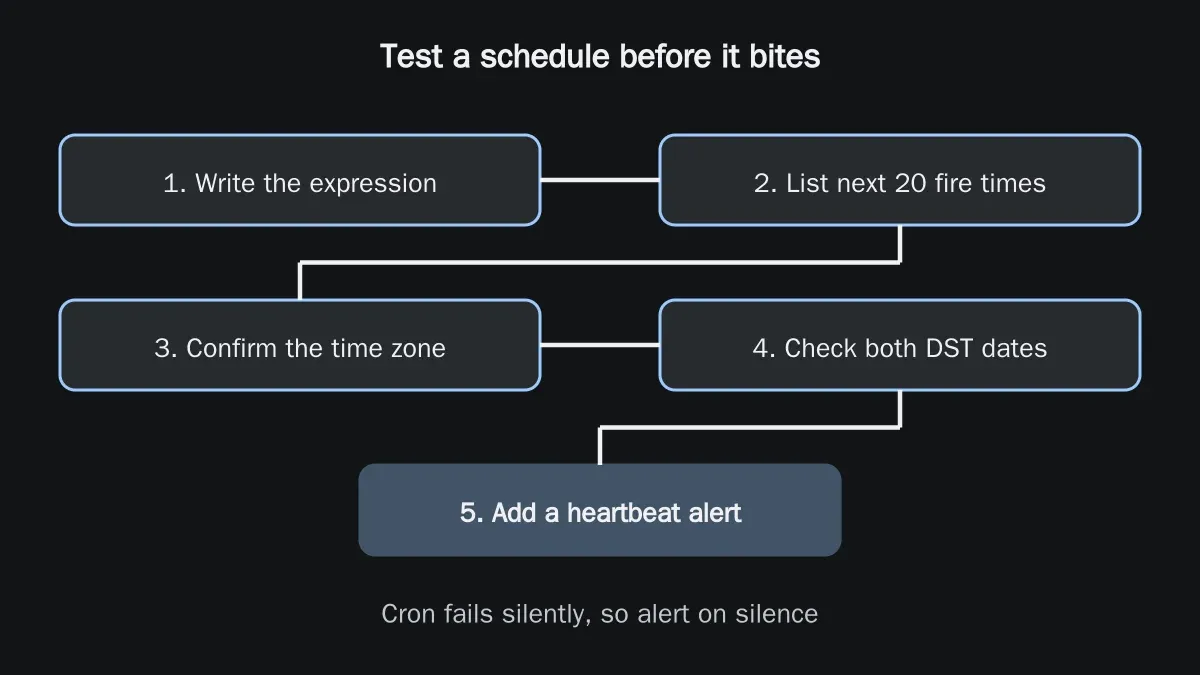
List the next 20 or so fire times and read them as dates, not as a string. That catches the OR rule instantly: if you expected six runs a year and see five in the next month, the string is wrong. The cron expression explainer does this, and so does any library’s next() iterator.
Then say the zone out loud. Which zone does the daemon use, and do your fire times match it? Look up that zone’s DST dates, generate fire times across both transitions and see whether the job lands in a gap or a repeat. Check the dialect too: five fields or six, seconds first or not, ? required or not, Sunday as 0 or 7, names allowed or not. And add the heartbeat before the first deploy, not after the first silent failure.
The fire-time listing fits in a unit test:
from datetime import datetime
from zoneinfo import ZoneInfo
from croniter import croniter

tz = ZoneInfo("Europe/Berlin")
start = datetime(2027, 3, 27, 0, 0, tzinfo=tz)  # around a spring transition
it = croniter("30 2 * * *", start)
for _ in range(4):
    print(it.get_next(datetime))
Run it for your zone and read what comes out around the transition. It tells you what that library does, which is the only answer that matters for that library. Don’t assume your production daemon does the same.
And if someone asks for Friday the 13th, put the date check in the script.
Try it yourself
Cron expression explainer
Read a cron expression in plain language, see its next runs in any time zone, and tidy it into its standard form.
Open the tool