Least privilege for AI agents and MCP servers, in practice
Friday afternoon. A migration is half done and the agent keeps stopping to ask “may I run this?”. So you do what every tired engineer does: hand it a token that can do anything in every repository, and go get coffee.
The agent is polite and competent and does nothing wrong. Then on Monday it reads an issue comment a stranger wrote and follows the instructions in it, because to a language model, text is text [4]. The model didn’t fail. The token was the mistake.
An agent is a process acting on your behalf, so treat it like one: give it the minimum the task needs [8], and enforce that outside the model, because you can’t make a model reliably refuse [3][4]. Done well, this doesn’t slow the agent down. It cuts the prompts, and it gives your team a log someone can actually read [1][6][7].
Agents need this more than people do
NIST’s definition of least privilege covers “users (or processes acting on behalf of users)”, limited to the minimum their tasks need [8]. That’s an agent exactly: a process acting for someone, with a habit of reading text from places you didn’t choose.
OWASP calls the failure mode excessive agency: a system that takes damaging actions in response to unexpected, ambiguous or manipulated output, whatever caused it. It might be a hallucination, or an injected prompt, including one that arrives through a compromised extension [3]. OWASP gives three root causes: too much functionality, too many permissions, too much autonomy [3].
For the injection half, Willison’s advice is blunt. Filters that catch most attacks aren’t good enough, because in web security 95% is a failing grade. Avoid the dangerous combination instead [4].
So don’t ask how to make the model behave. Ask what the worst thing is that a misbehaving model could do with exactly these keys.
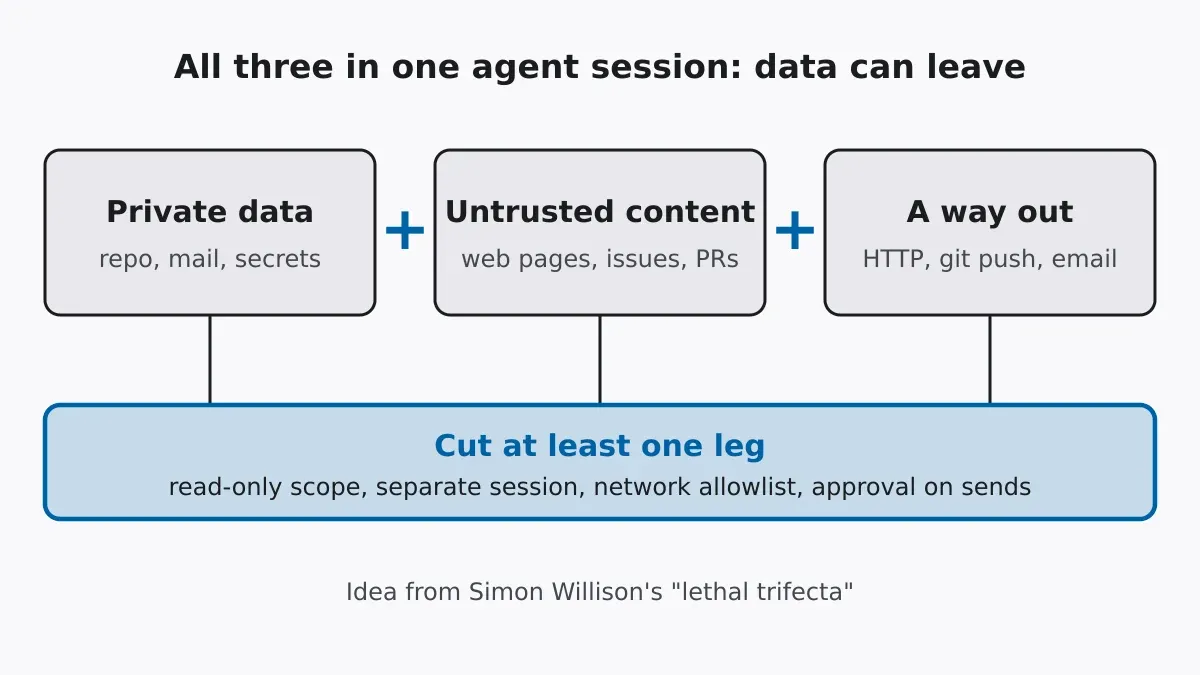
The lethal trifecta
Willison names three capabilities that are harmless alone and dangerous together [4]:
| Capability | Typical example | A way to cut it |
|---|---|---|
| Access to private data | Repo, mailbox, .env files |
Read deny rules, a narrower working folder |
| Exposure to untrusted content | Web pages, issues, PRs, inbound email | A separate agent session for the untrusted input |
| A way to send data out | HTTP, git push, outbound email |
Network allowlist, approval for sends |
Put all three in one agent session and a hidden instruction in the untrusted text can fetch the private data and send it out. OWASP’s own example is a mail assistant whose plugin can both read and send; a malicious email tells it to forward the whole inbox. Its fixes: a read-only scope, and a person approving every outgoing message [3]. You only need to remove one leg.
There’s a catch for MCP, and Willison points it out. Vendors can patch their own products, but they can’t protect you when you combine tools from different sources, and combining tools from different sources is what MCP is for [4].
Fence the doors, not the room
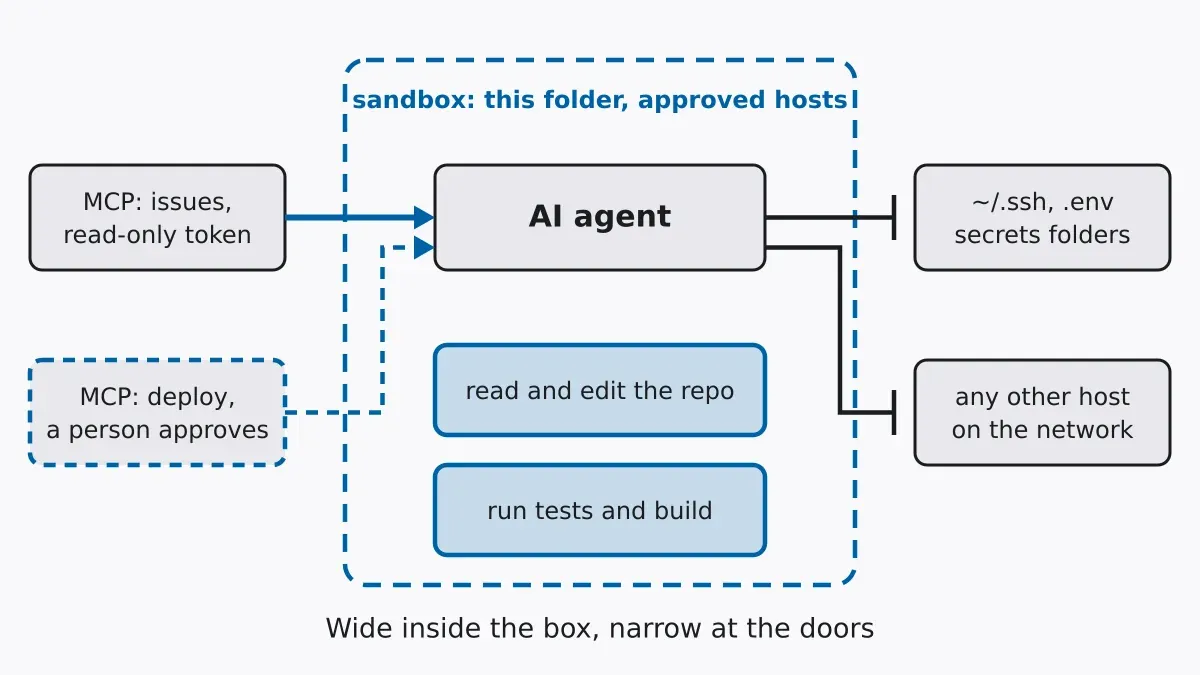
“If I fence it in, it stops being useful.” Not if you fence the doors instead of the room. Inside the project folder the agent can read, edit, build and test as freely as you can. The boundary sits where things leave that folder.
Anthropic’s engineering team argues this from the productivity side. Asking approval for most actions causes approval fatigue: people stop reading what they approve. Their sandbox isolates the filesystem and the network together, because either alone leaks. Without network isolation, a compromised agent could send out your SSH keys. Without filesystem isolation, it could slip out of the sandbox and reach the network anyway. Internally, it cut permission prompts by 84% [6]. Fewer prompts and tighter walls, at the same time.
| Give freely | Gate behind a prompt or a second token | Never give |
|---|---|---|
| Read and edit inside the repo | git push, deploy, anything that sends |
Cloud admin and org-wide tokens |
| Run tests and the build | Writes through an MCP server | Reading ~/.ssh, .env, secrets folders |
| Read-only MCP tools | Installing a new MCP server | Unrestricted outbound network |
Claude Code’s rules show what this looks like, and any agent with a permission file can do the same. Rules are checked deny first, then ask, then allow, and the first match wins, so a narrow allow can’t undo a broad deny [5]:
{
  "permissions": {
    "allow": ["Bash(npm run *)", "Bash(git diff *)", "mcp__github__get_*"],
    "ask": ["Bash(git push *)"],
    "deny": ["Read(./.env)", "Read(./secrets/**)", "Bash(curl *)", "Bash(wget *)"]
  }
}
mcp__github__get_* allows only the read-style tools of one named server. MCP allow rules need a literal server name before any wildcard [5]. And the permission file can live in version control, shared with the whole team [5].
Don’t mistake these rules for a wall, though. They’re a speed limit. Denying Bash(curl *) stops curl ... but not /usr/bin/curl or sh -c 'curl ...', and a Read deny doesn’t cover a Python script that opens the file itself. For limits that have to hold, the docs point to the OS-level sandbox [5].
MCP servers are doors too
Every MCP server is a door, and the spec is frank about what happens when doors are sized for convenience.
A local MCP server is code on your machine, running with your privileges. A malicious start-up command in a client configuration can do anything the client can. So clients must show the exact command before a one-click setup runs it, and should run servers sandboxed, with minimal privileges by default [1].
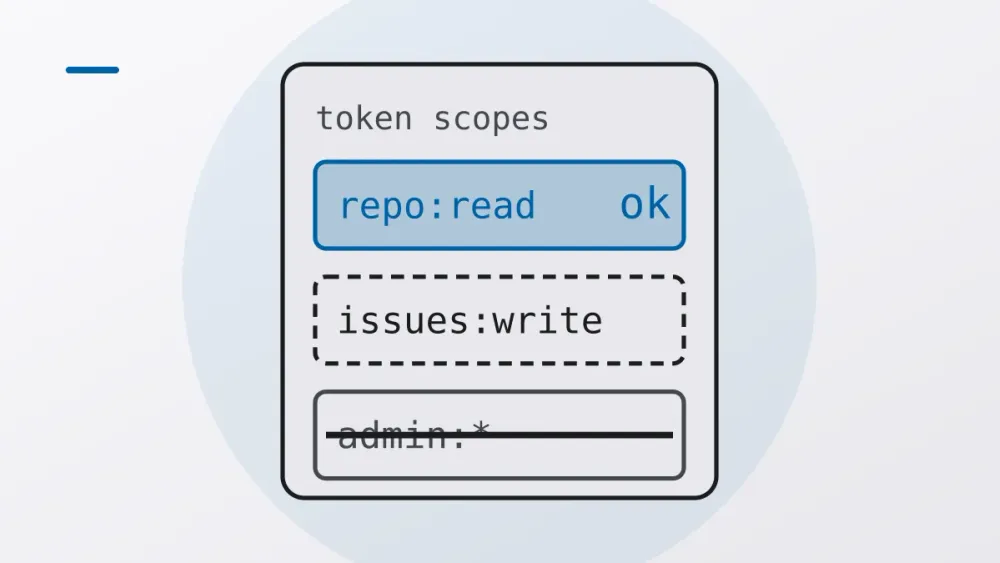
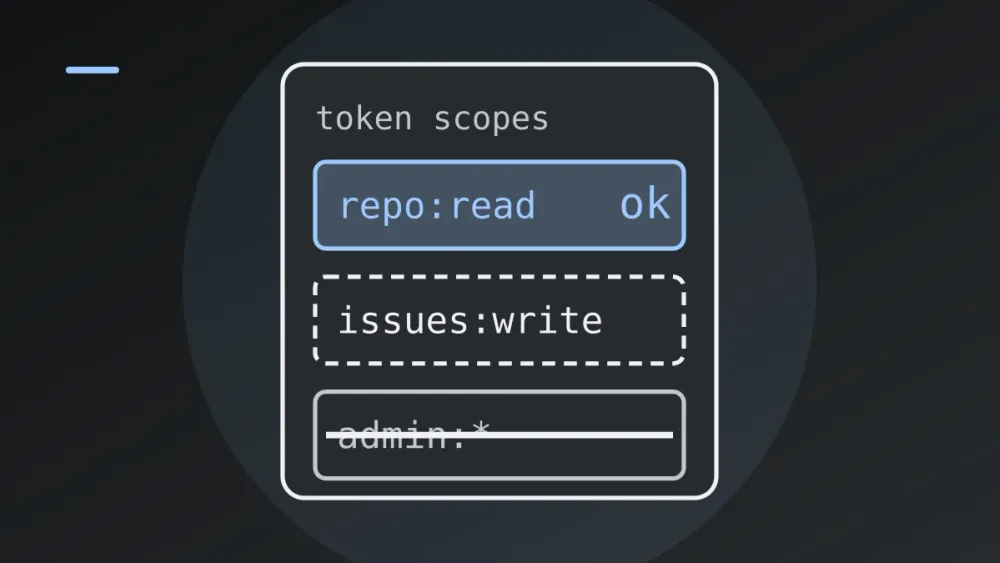
Broad scopes make every leak bigger. The spec describes a token with scopes like files:*, db:* or admin:*, granted up front because the server advertised everything. Leak it and the attacker can move sideways; revoke it and every workflow breaks. And one omnibus scope hides what each individual operation was meant to do, which matters for auditing [1]. The spec recommends a progressive model instead: a minimal starting scope for low-risk reads, step-up through a targeted WWW-Authenticate challenge the first time a privileged operation is attempted, and each elevation logged with a correlation ID [1].
A token has to be meant for the server that receives it. An MCP server must not accept tokens that weren’t issued to it, and passing a client’s token through to a downstream API is explicitly forbidden. It sidesteps rate limits and monitoring, and the logs show the wrong identity [1].
The authorization spec asks clients to request only the scopes needed for the operation at hand, and servers to name the required scopes in the WWW-Authenticate challenge [2]. If you write a server, keep scopes_supported small and split read from write. If you only use servers, start with a read-only token, and if a server asks for “everything”, look for another server.
Reviewable agents
Least privilege usually gets sold as defence. For a team, I think the bigger win is that it makes the agent reviewable.
| Question a reviewer or auditor asks | Where the answer lives |
|---|---|
| What could the agent do? | Permission rules and token scopes, in the repo [5] |
| Who decided that? | A pull request on the rules file, reviewable like any config |
| What did it do? | Tool-call events with the tool name, success and duration [7] |
| Who allowed this call? | The decision source: config, hook, or a person [7] |
| Whose authority did it use? | A token issued to the specific server, not passed through [1] |
Claude Code, for example, exports OpenTelemetry events that record each tool accept or reject along with where the decision came from, plus a result event per tool [7]. Content is redacted by default. Prompts and tool parameters such as commands and file paths stay out of the logs unless you turn on OTEL_LOG_USER_PROMPTS or OTEL_LOG_TOOL_DETAILS, and a repository can’t switch on telemetry or content logging for you [7]. Think before you enable them: command lines can contain secrets, and an audit log full of secrets is a new problem.
Admins can go further. Managed settings sit above user and project settings, and allowManagedPermissionRulesOnly makes them the only source of permission rules, which suits regulated teams [5].
For QA it’s simple: the agent’s boundary becomes a diff. A new allow line shows up in review, someone asks why, and the answer gets written down. Repeated prompts or denials in the logs are a free to-do list. Each one is either a rule worth adding or a boundary worth keeping.
Here’s a five-minute exercise. Open your agent’s permission file and one MCP token you use. For each, write down the worst thing it could do if the next text it reads contains a stranger’s instructions. Any answer that makes you wince is your first rule.
Rolling it out
Start with an inventory: every agent and MCP server in use, and what each credential can reach. Then fence the data, by denying reads of secrets and credential folders while leaving the rest of the repo open. Close the way out next. Turn on the sandbox or an outbound allowlist before anyone starts debating individual commands.
Give each server its own token, read-only to start, with step-up and a person approving for writes. Keep the rules in the repo and review changes like code, with managed settings if you need to enforce them. Turn on decision logging with content off, and only add command details where there’s a retention policy. And re-run the trifecta check every time someone adds a server.
None of this fixes prompt injection itself. Nobody has a complete fix; the point is to limit what a successful one can do [4]. Pattern rules can be bypassed, so keep a sandbox under them [5]. And the standards are still moving. The MCP spec has draft and dated versions, so check which one your client and server implement [1][2]. OWASP also publishes a separate Top 10 for Agentic Applications (December 2025) covering tool misuse and privilege abuse. I haven’t summarised it here; read it directly [9].
Share this article
Sources
- Model Context Protocol: Security Best Practices (2026-07-28)1234567
- Model Context Protocol: Authorization (2026-07-28)12
- OWASP GenAI: LLM06:2025 Excessive Agency1234
- Simon Willison: The lethal trifecta for AI agents123456
- Claude Code docs: Configure permissions1234567
- Anthropic Engineering: Claude Code sandboxing12
- Claude Code docs: Monitoring usage (OpenTelemetry)12345
- NIST CSRC glossary: least privilege12
- OWASP GenAI: Top 10 for Agentic Applications for 20261