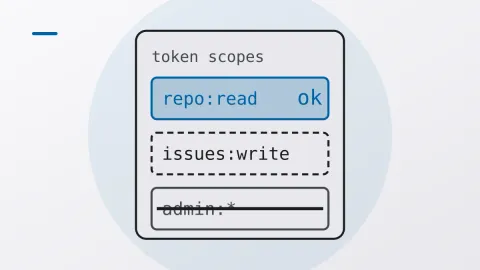
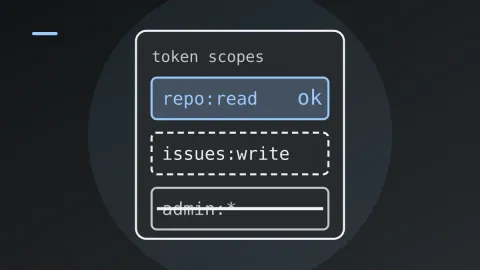
Base64 is encoding, not encryption
Somewhere in a repo near you there’s a config file with password: aHVudGVyMg== in it. Maybe there’s a comment above it too: “encrypted, don’t worry”.
Decode it. You get hunter2.
Nobody cracked anything. The password was written in a different alphabet, one that’s printed in a public standard and that every language ships a decoder for. Base64 is an encoding. It was never meant to keep anything secret, and it doesn’t.
What it’s for
Base64 exists because plenty of text channels can’t carry raw bytes. Email bodies, JSON strings, URLs, HTTP headers: put a null byte or a stray newline in any of them and something downstream breaks, or quietly mangles your data. RFC 4648 [1] gets around that by rewriting any byte sequence with 64 characters that survive everywhere (A-Z, a-z, 0-9, + and /), plus = for padding [2].
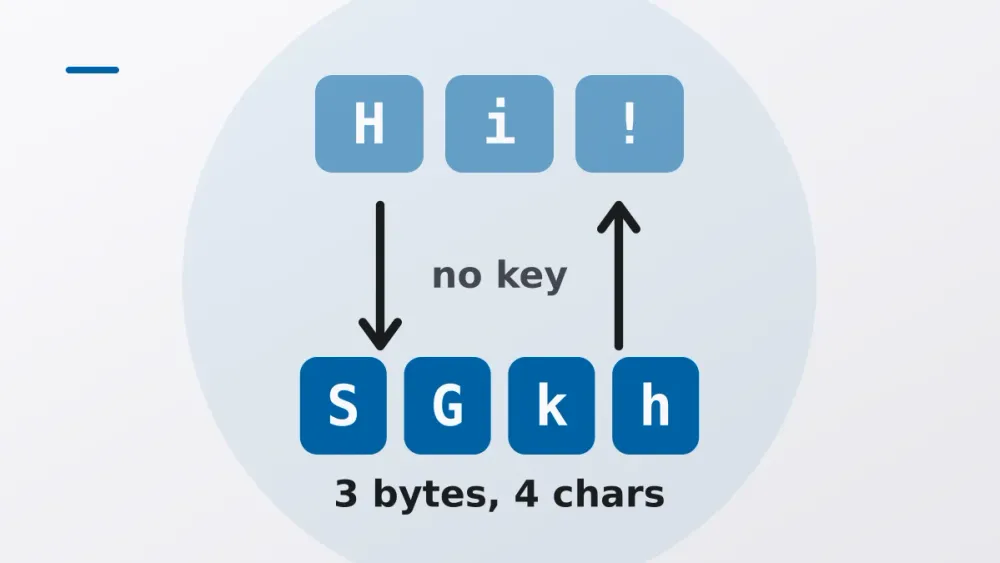
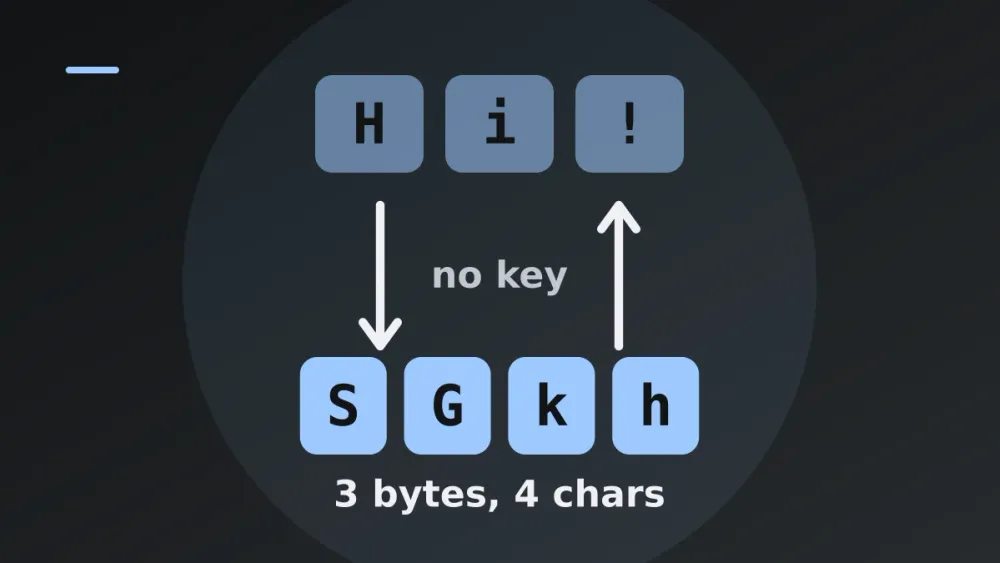
Take three bytes, which is 24 bits, cut them into four 6-bit chunks and look each chunk up in the alphabet. Four characters out for every three bytes in. That’s why the output is about a third bigger than the input, and why padded output always has a length divisible by four.
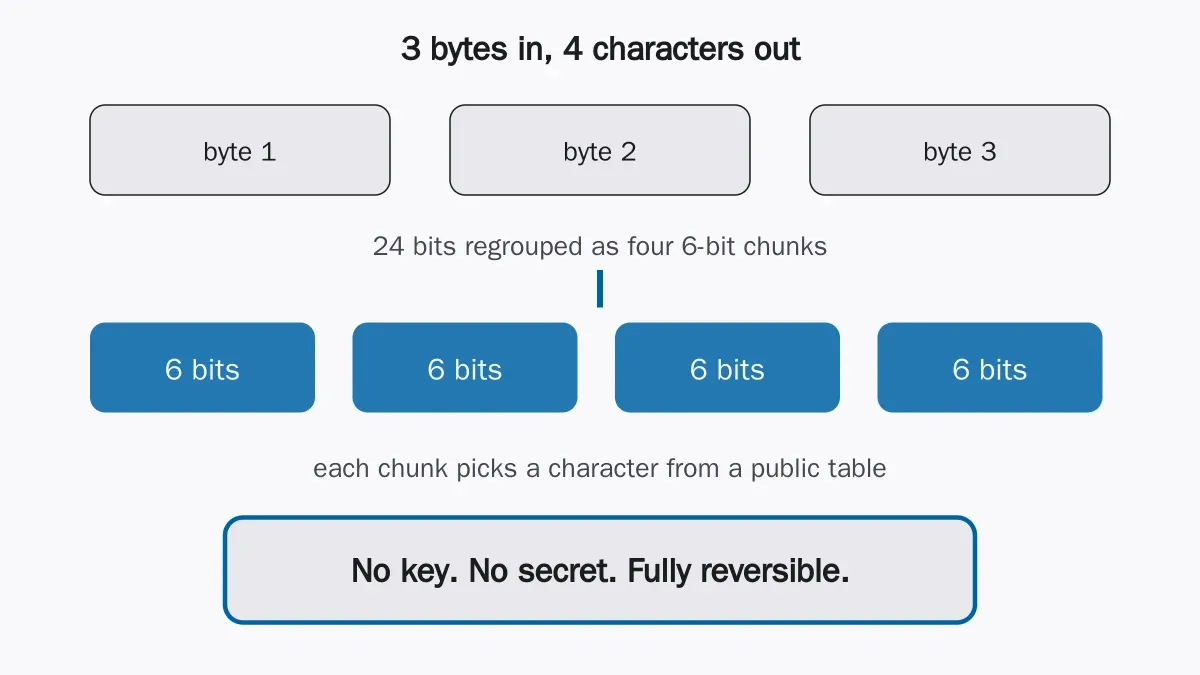
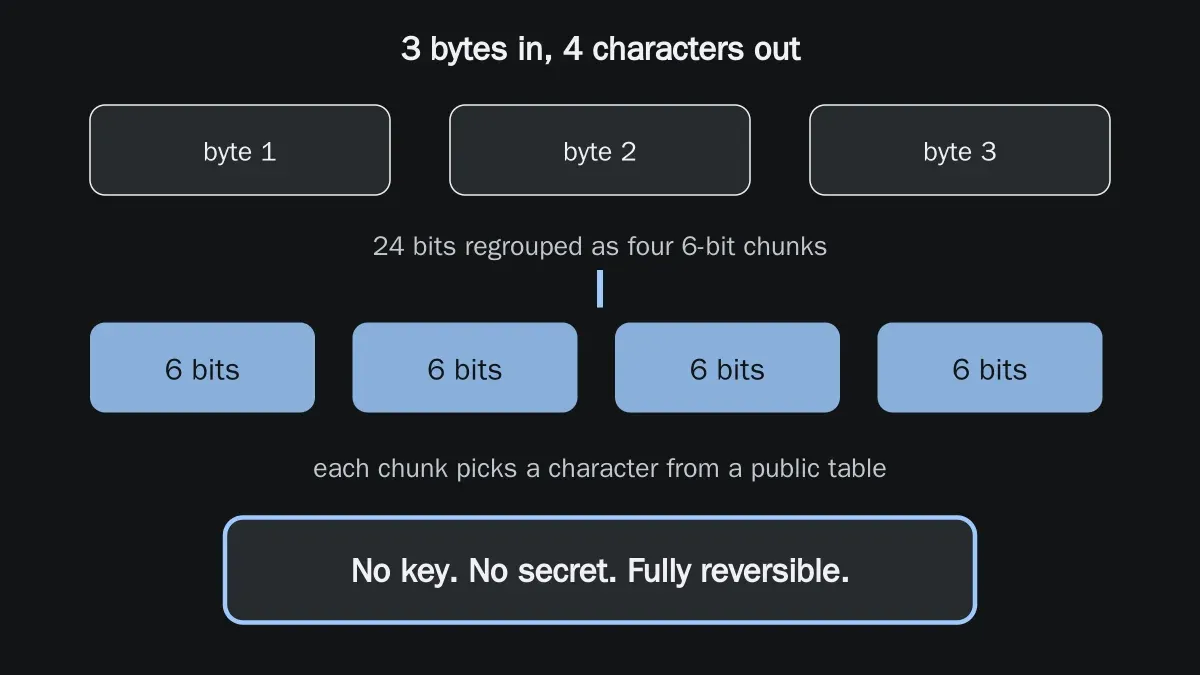
There’s no key in that diagram because there isn’t one. Encryption only works when the attacker is missing some secret. Here the lookup table is the whole algorithm, and decoding is the same table read backwards.
Where people use it as a lock
It looks like line noise, and line noise feels safe. I understand why people fall for it. But a value your eyes can’t read isn’t protected from anything; a machine reads it instantly.
Where it turns up:
- Credentials in config and
.envfiles, Base64’d so they’re “not in plain text”. - HTTP Basic auth. The header is
Authorization: Basicfollowed byuser:password, encoded. RFC 7617 [3] says plainly that this sends the credentials as cleartext, so without TLS you might as well not have bothered encoding them. - Kubernetes Secrets and similar manifests. The values are Base64 so binary data fits in YAML, and that’s the only reason. Whoever can read the manifest can read the secret.
- “Obfuscated” API payloads, where the client is told to Base64 the body so nobody can sniff it.
- JWTs. The header and payload are Base64url, so anyone holding the token can read the claims. The signature stops people changing them, not reading them.
If a secret is only Base64’d, it’s plain text with one extra step. Leak the encoded value and you’ve leaked the secret.
Spotting it
Usually you can tell by eye.
| Clue | What it suggests |
|---|---|
Only letters, digits, +, / |
Standard Base64 |
- and _ instead of + and / |
Base64url (JWTs, URLs) |
Ends with = or == |
Padding, very likely Base64 |
| Length is a multiple of 4 | Consistent with padded Base64 |
Starts with eyJ |
Base64 of {", the start of a JSON object, often a JWT |
Starts with LS0tLS1CRUdJTi |
Base64 of -----BEGIN, a PEM key or certificate |
eyJ is the one I use most. {" always encodes to the same first three characters, so a string that starts with eyJ is almost always JSON, and quite often a JWT.
Then decode it to be sure. Python, standard library only:
import base64

value = "aHVudGVyMg=="
print(base64.b64decode(value).decode())  # hunter2
For Base64url, use base64.urlsafe_b64decode instead, and add back any = padding that was stripped or it’ll raise an error. Or skip the code and paste it into the Base64 encoder and decoder.
What to use instead
That depends on what you wanted in the first place.
| You want | Use | Base64’s role |
|---|---|---|
| Keep data secret | Real encryption (for example AES-GCM) with a managed key | Encode the ciphertext for text channels |
| Store a password | A slow password hash (argon2, bcrypt, scrypt) | Encode the hash string if needed |
| Prove data was not changed | HMAC or a signature | Encode the tag for transport |
| Hold secrets in config | A secrets manager or encrypted-at-rest store | None |
Look at the last column. Most of the right answers still end in Base64, because ciphertext and hashes are bytes too, and those bytes still have to get through JSON. That’s fine. Encrypt, then encode. The mistake is encoding and stopping there.
While we’re at it: a hash isn’t an encoding either, and a signature doesn’t hide anything. Encoding, hashing, signing and encrypting are four different jobs, and nearly every mistake above is one of them being asked to do another’s.
If you have ten minutes today
Grep your repos and config for values that end in = or start with eyJ, and decode a few. If a password or key falls out, rotate it. Everyone who has ever opened that file has already seen it.
After that the fixes are dull but simple. Real secrets go in a secrets manager, not in git. Basic auth runs over TLS or not at all, and if you get to choose, pick a token scheme instead. When you actually need secrecy, use a vetted encryption library and Base64 the ciphertext afterwards [4].
Try it yourself
Base64 encoder and decoder
Encode text to Base64 or decode Base64 back to text, with standard and URL-safe alphabets.
Open the tool